The doc framework built for agents.
A React-first document framework. Every page is a real A4 sheet, written by your agent in React. Contents, page numbers, pagination — the tedious half — handle themselves.
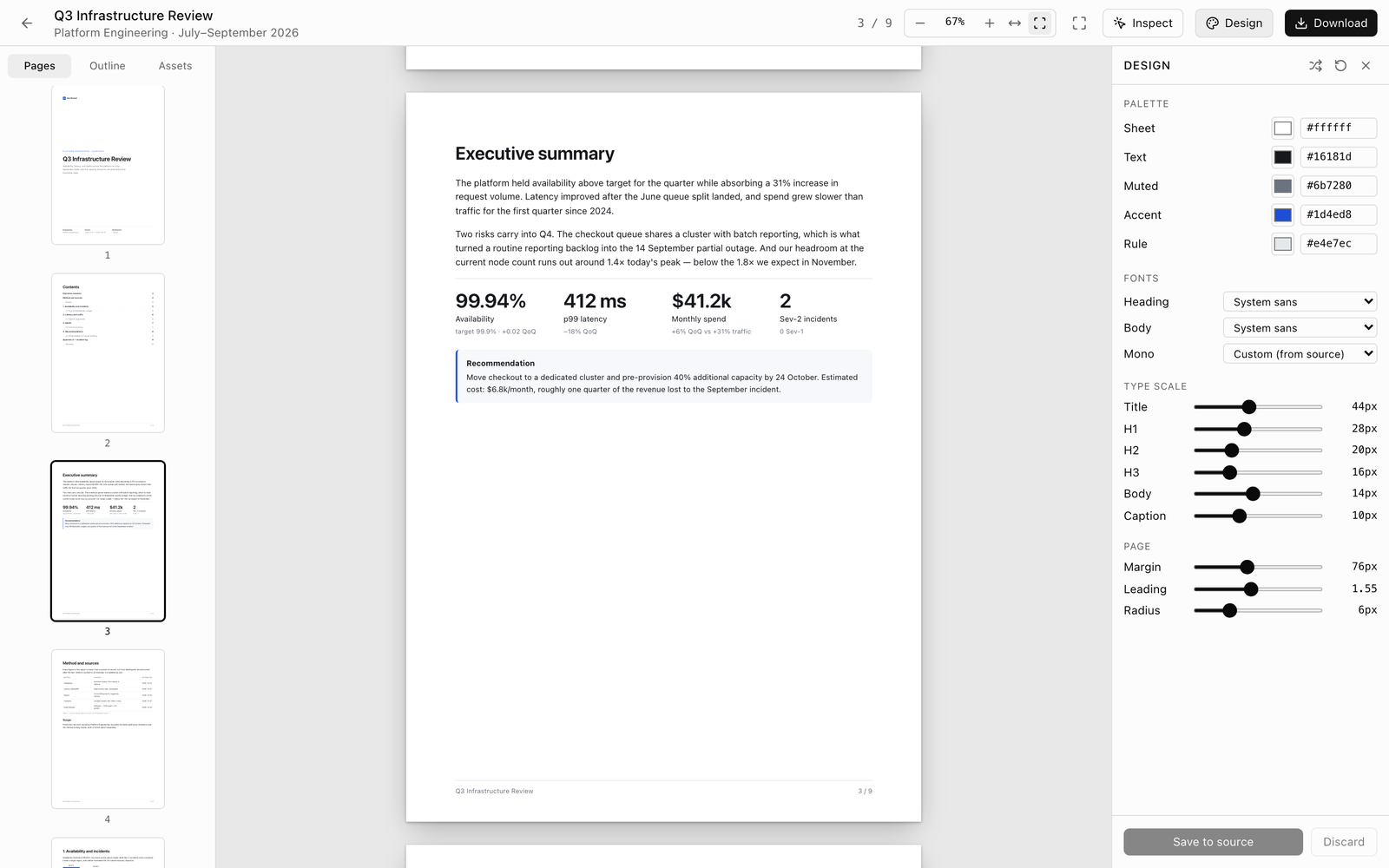
The viewer — page thumbnails, a real A4 sheet, and the design panel
→ 9 pages · contents and numbering done · q3-review.pdf
What you see on screen is what comes off the printer.
An agent hands you a block of Markdown; you need a file you can send to someone. The layout layer in between is not something you can dictate through chat — so let the agent write React, and leave the paper to the framework.
It prints the way it looks
A4 is 794 × 1123 px — the same size your printer thinks it is. No "looked fine on screen, fell apart on paper".
Add a section, contents follows
Drop in a new section and the contents page and numbering renumber immediately. You never go back to check a figure.
Tables never split in half
Fill a page and it flows to the next one — but a heading travels with its paragraph, and a table stays in one piece.
It tells you what broke, and where
Your agent cannot see the page, so open-doc says it outright: the table on page 7 overflows by 40px, the image on page 3 never loaded.
Author a doc with your agent. Three steps from empty folder to PDF.
Scaffold the workspace, describe what you need, take the file.
Spin up a workspace
Creates the document workspace. Every report you write from now on lives in that folder.
✓ ready
Ask your agent
Your agent drafts each page as a React component; you steer it with a sentence. Ask for figures and it asks where they come from rather than inventing them.
Download the PDF
One click for a PDF or HTML. Wiring it into CI? Headless export takes the same path.
→ q3-review.pdf
Bring your own agent. 23 tools, one endpoint.
Point it at localhost:5273/mcp — stateless Streamable HTTP, no handshake. The tools cover documents, text edits, layout checks, page screenshots, Markdown import, export, themes and assets.
Two of you editing, nothing lost
You tweak text on the page while the agent is writing — it will happen. It takes the version you last read and answers a conflict with 409 rather than overwriting you.
Say "this page" and it knows
The dev server knows which sheet you are looking at. Say "swap the chart on this page" and the agent does not ask which page you meant.
Click any word and change it
Toggle inspect, click an element, type. The edit is written back into the source and the page reloads — no hunting for which file, which line.
Not in the mood? Leave a note
Leave notes on the page as you read; they pin into the source. Run /apply-comments and the agent works through every one of them.
A document is a file.Just React, nothing else.
docs/<id>/index.tsx is the report. No proprietary format, it diffs in git, and your agent can read it.
Ship a report in the next minute. One command, zero config.
One command, zero config. MIT licensed and on npm — your agent takes it from here.
# scaffold a workspace
$ npx @open-document/cli init my-docs

# studio at :5273, MCP endpoint alongside it
$ open-doc dev --mcp